TX-8270-Connecting Other Cables
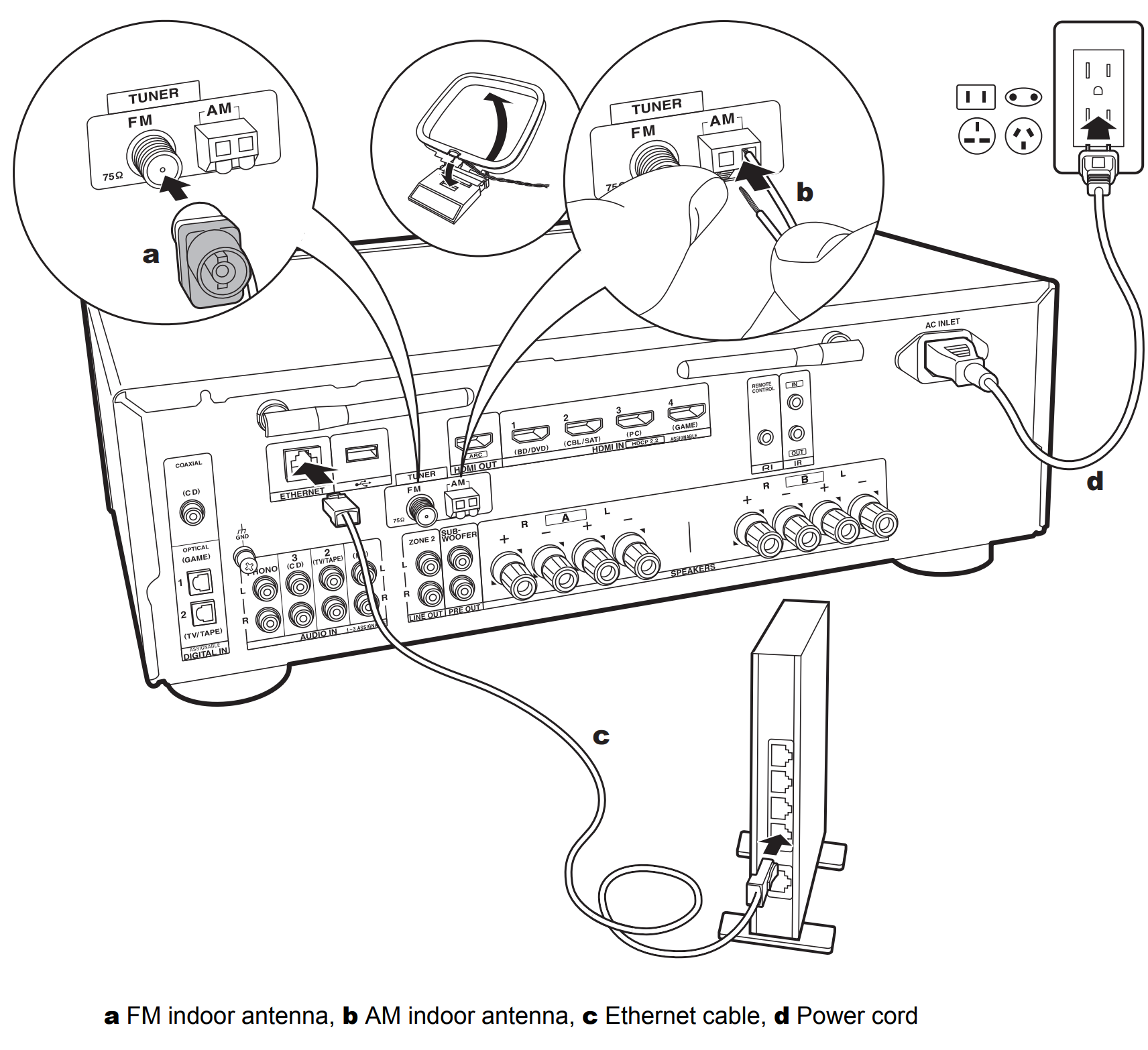
North American Models
Antenna Hookup
Move the antenna around while playing the radio to find the position with the best reception. Use a thumb tack or similar to attach the FM indoor antenna to a wall.
Network Hookup
Connect this unit to the network using wired LAN or Wi-Fi (wireless LAN). You can enjoy Network Functions such as internet radio by connecting to the network. If you connect by wired LAN, connect to the router with an Ethernet cable to the ETHERNET port as shown in the illustration. To connect by Wi-Fi, after selecting "Wireless" in "2. Network Connection" in Initial Setup, select the desired setting
method and follow the onscreen instructions to configure the connection.
Power Cord Hookup
This model includes a removable power cord. The power cord must be connected only after all other connections are completed. Make sure you first connect the power cord to AC INLET of the unit and then connect to the outlet. Always disconnect the outlet side first when disconnecting the power cord.
European Models
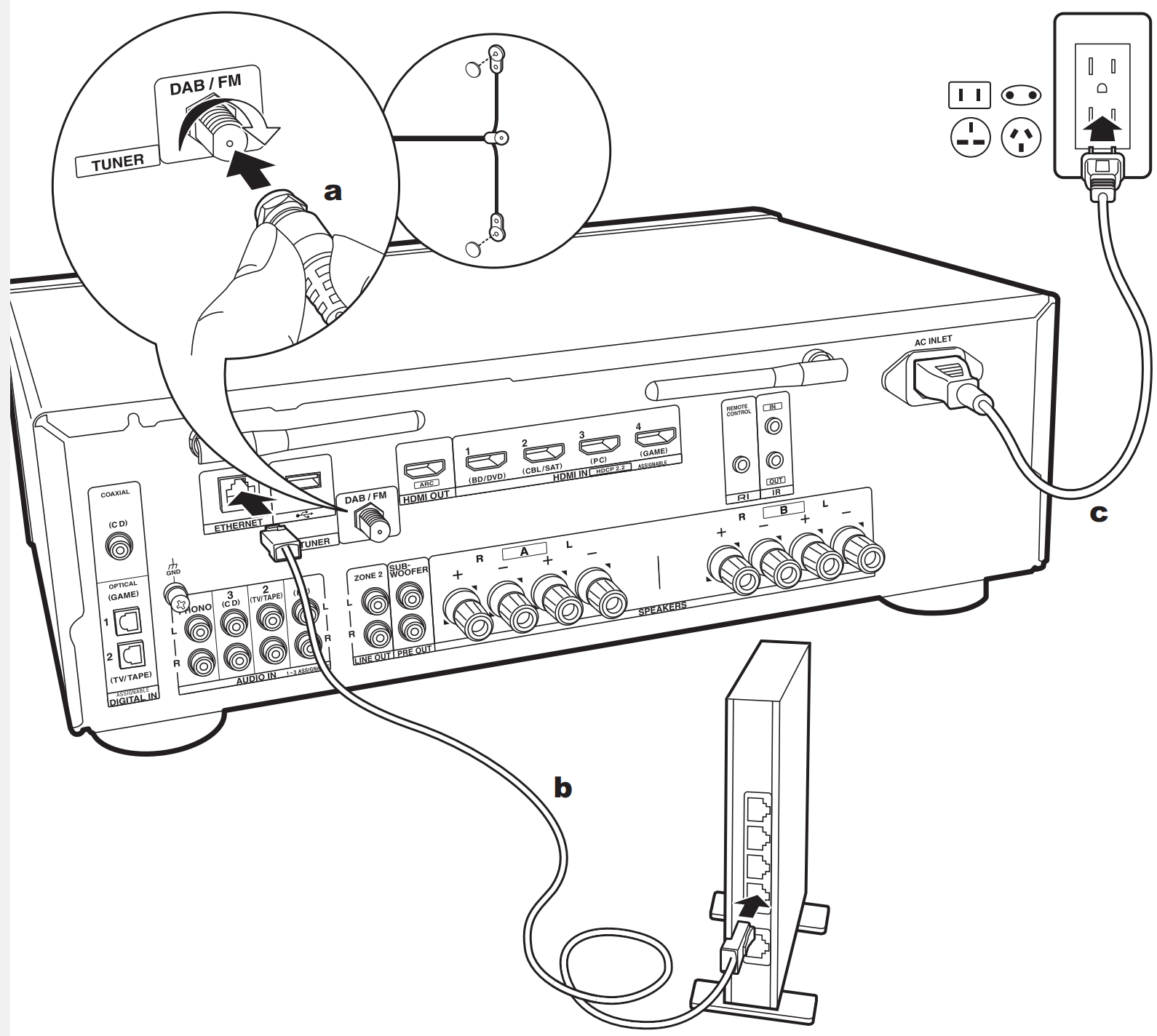
Antenna Hookup
Make sure the plug is pushed in all the way, then fix in place by turning the nut to the right. Use a tack or similar to fix the antenna to a wall.
Network Hookup
Connect this unit to the network using wired LAN or Wi-Fi (wireless LAN). You can enjoy Network Functions such as internet radio by connecting to the network. If you connect by wired LAN, connect to the router with an Ethernet cable to the ETHERNET port as shown in the illustration. To connect by Wi-Fi, after selecting "Wireless" in "2. Network Connection" (P17) in Initial Setup, select the desired setting method and follow the onscreen instructions to configure the connection.
Power Cord Hookup
This model includes a removable power cord. The power cord must be connected only after all other connections are completed. Make sure you first connect the power cord to AC INLET of the unit and then connect to the outlet. Always disconnect the outlet side first when disconnecting the power cord.
Comments
0 comments
Article is closed for comments.