C-7030-Connecting to the CD Player
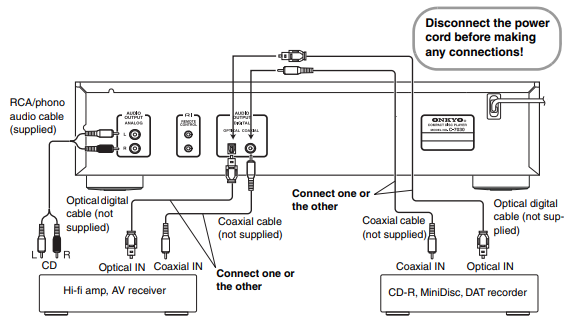
Audio Connections
- Before making any connections, read the manuals supplied with your other components.
- Don’t connect the power cord until you’ve completed and double-checked all connections.
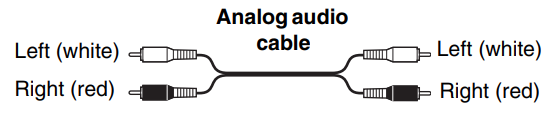
Connection Color Coding
RCA-type audio connections are usually color-coded red and white. Use red plugs to connect right-channel audio inputs and outputs (typically labeled “R”). Use white plugs to connect left-channel audio inputs and outputs (typically labeled “L”).
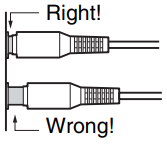
- Push plugs in all the way to make good connections (loose connections can cause noise or malfunctions).
- To prevent interference, keep audio cables away from power cords and speaker cables.
Optical/Coaxial
The unit supports 16 bit, 44.1 kHz PCM signal digital output. The C-7030’s optical digital jack has a shutter-type cover that opens when an optical plug is inserted and closes when it’s removed. Push the plug in all the way. Caution: To avoid damaging the shutter, hold the optical plug straight when inserting and removing.
Note:
Do not put anything on top of the C-7030, as it may interfere with proper ventilation.
RI Connections
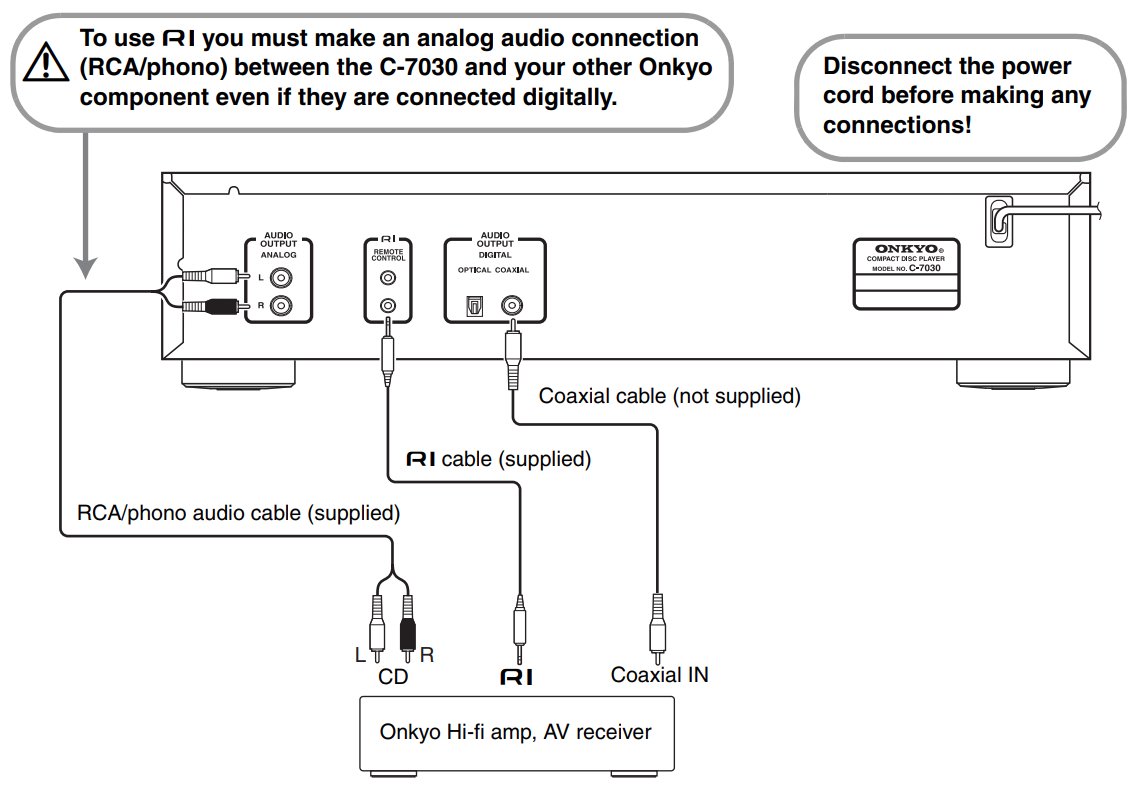
With RI (Remote Interactive) you can control the C-7030 together with your other -compatible Onkyo AV components. With some Onkyo AV receivers you can use one remote controller to control all your Onkyo components and use the following special RI functions:
Direct Change
If your C-7030 is connected to an RI-compatible Onkyo hi-fi amp or AV receiver, when you start playback on the C-7030, the AV receiver will select the C-7030 as the input source.
Remote Control Operation
You can control the C-7030 by using your Onkyo amplifier’s remote controller. See the amplifier’s instruction manual for details.
To use the RI functions, you need to connect one of the C-7030’s RI connectors to an RI connector on another AV component in your system by using the supplied RI cable.
See the manuals supplied with your other RI-compatible AV components for more information.
Notes:
- Use only RI cables for RI connections.
- The C-7030 has two RI connectors. You can connect either one to your Onkyo hi-fi amp or AV receiver. The other connector is for connecting additional RI-compatible components.
- Connect the C-7030’s RI connector only to Onkyo AV components. Connecting to other manufacturer’s AV components may cause them to malfunction.
- Some Onkyo RI-compatible AV components may not support the special functions described here.
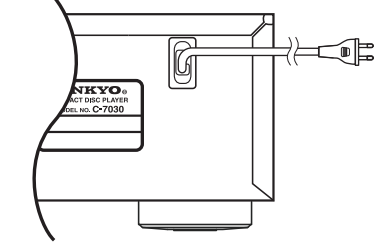
Connecting the Power Cord
 Before connecting the power cord, connect all of the other components.
Plug the power cord into a suitable electrical outlet.
Comments
0 comments
Article is closed for comments.