TX-NR5100 - Connecting an Integrated Amplifier (Zone B)
While performing playback in the main room (where this unit is located), you can enjoy 2-ch audio of the same source in the separate room (ZONE B) at the same time. Use an analog audio cable to connect the ZONE B PRE/LINE OUT jack of this unit to the LINE IN jack of the integrated amplifier or power amplifier in the separate room.
Setup
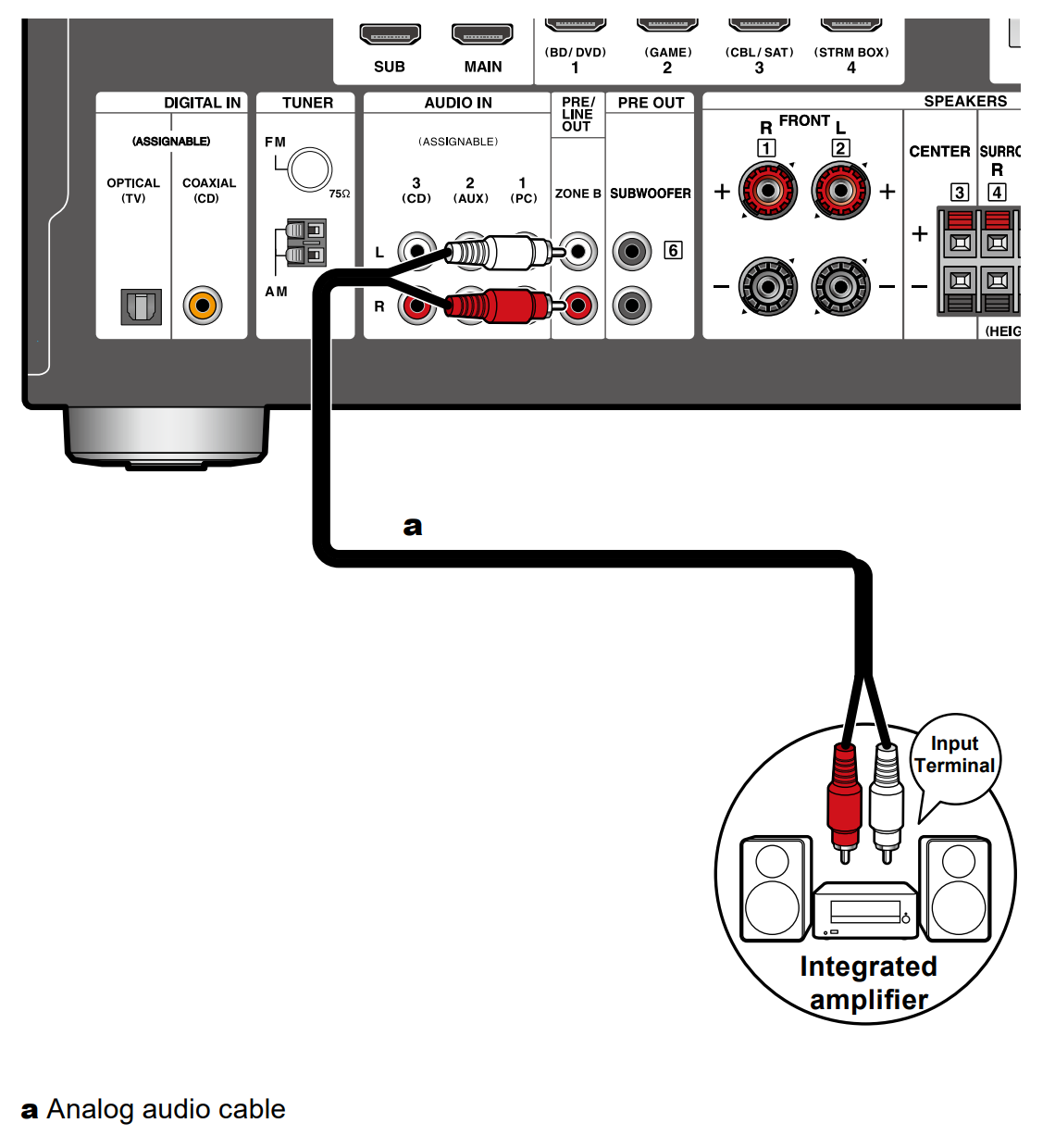
- When connecting the power amplifier, set "Zone B Output Level" to "Variable" for "Speaker Setup" in the Initial Setup section. When setting "Zone B Output Level" from the Setup menu, press on the remote controller, and set "2. Speaker" - "Configuration" - "Zone B Output Level" to "Variable". If it is not set, a large volume is output and the power amplifier, speakers, etc. may be damaged.
Comments
0 comments
Please sign in to leave a comment.