TX-NR5100 - Amazon Alexa
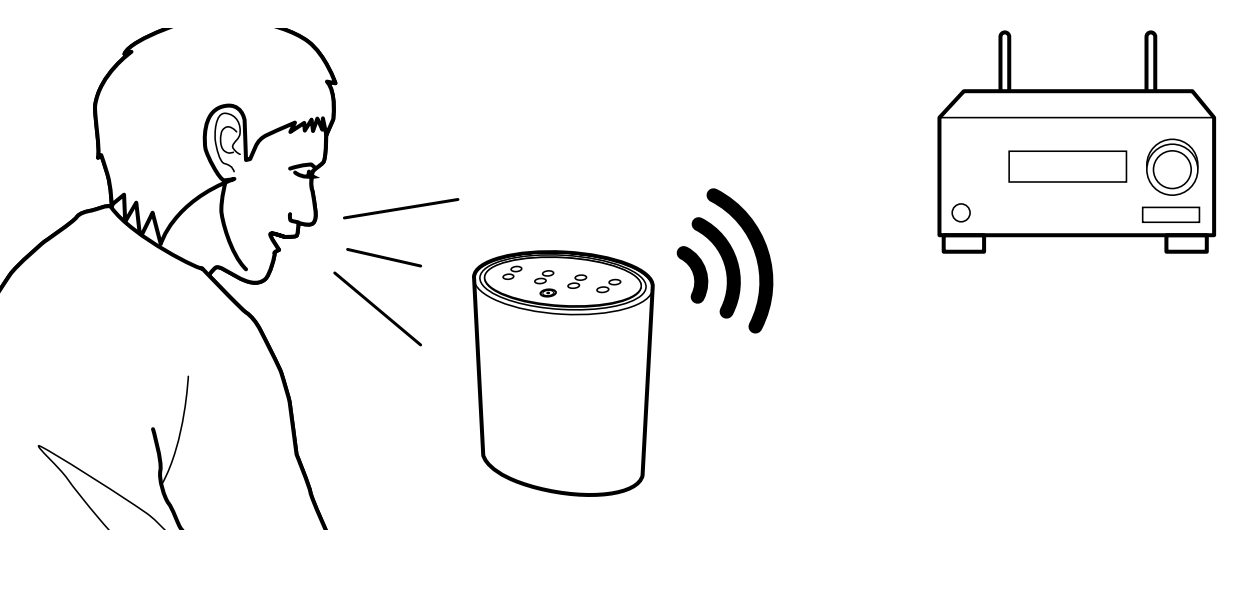
Alexa is a cloud-based voice service developed by Amazon. When this unit is registered with an Amazon account, you can use a terminal with Amazon Alexa (an Amazon Echo, etc.) or Amazon Alexa App (available on iOS and Android™) to perform operations such as adjusting the volume of this unit or playing music using voice commands.
- You need an Amazon account to use Amazon Alexa. For more information,
see the Amazon website.
Registering this Unit with an Amazon Account
- Register with the Amazon account on Onkyo Controller. This cannot be set with operations on this unit.
- Start Onkyo Controller and tap the unit when displayed.
- Tap "NET" or "NETWORK" at the top of the Onkyo Controller screen, and after switching to the network menu, tap the "amazon alexa" icon.
If the login screen is not displayed but an update or installation screen is displayed instead, perform the update or installation according to the onscreen instructions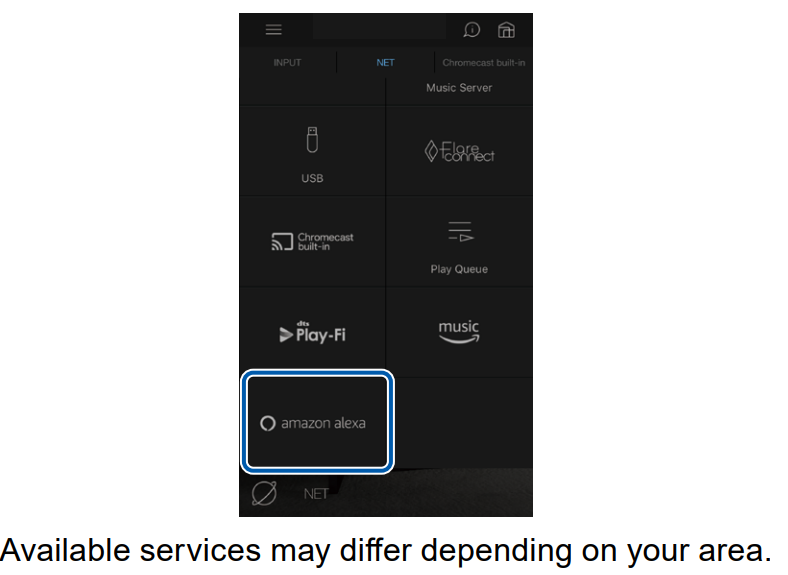
- Tap "Start Setup", and in the Setup screen, select the language and register the device name. Select the same language as the one you have selected for your other terminals with Amazon Alexa (an Amazon Echo, etc.). For the device name, use one that can easily be called up vocally.
For example: Speaker - Tap "Next" to display the Amazon Alexa screen.
- Follow the on screen instructions to enter the Amazon account information, such as your email address and password, to log into Amazon (*1). After logging in, tap "Allow" and register this unit with an Amazon account.
(*1) Log in using the same account as other terminals with Amazon Alexa. - When registration is finished, the screen returns to the one for Onkyo Controller. Follow the on screen instructions and talk to the terminal with Amazon Alexa (an Amazon Echo, etc.), and confirm that you can use voice commands.
For example:
"Alexa, raise the volume of the speaker (*2)"
"Alexa, play music from the speaker (*2)"
(*2) Use the device name you registered in Step 4 when talking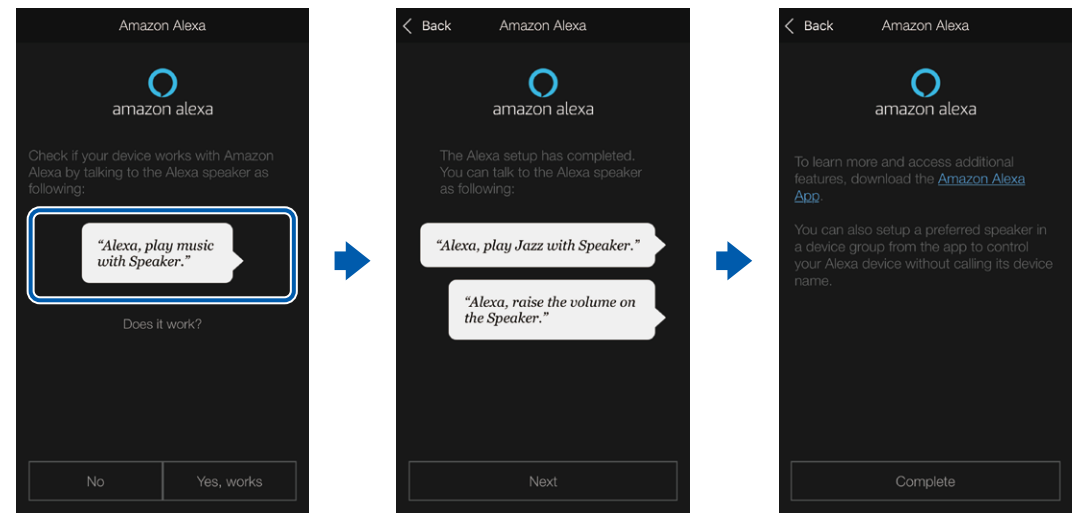
Operating this Unit
You can use voice commands to adjust the volume on this unit, start and stop music, and skip music up or down.
- With the unit on, speak at the terminal with Amazon Alexa (an Amazon Echo, etc.). When using the Amazon Alexa app, after starting the app, tap the Alexa logo and speak at the mobile device.
For example:
"Alexa, raise the volume of the speaker (*3)"
"Alexa, play music from the speaker (*3)"
(*3) Use the device name you registered in Step 4 of "Registering this unit with an Amazon account" when talking.
- It is not possible to turn the unit on or off, or to switch the listening mode.
- Refer to the Amazon websites for information about operation of the Amazon Alexa app.
Comments
0 comments
Please sign in to leave a comment.