TX-NR5100 - Setup Menu
Use the on-screen displays (OSD) that appear on the TV to make the settings.
Press on the remote controller to display the Setup menu.
Select the item with the cursors ^/v of the remote controller, and press the ENTER button to confirm your selection.
Use the cursors </> to change the default values.
- To return to the previous screen, press
 .
. - To exit the settings, press the
 button.
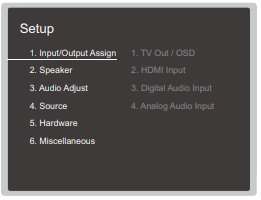
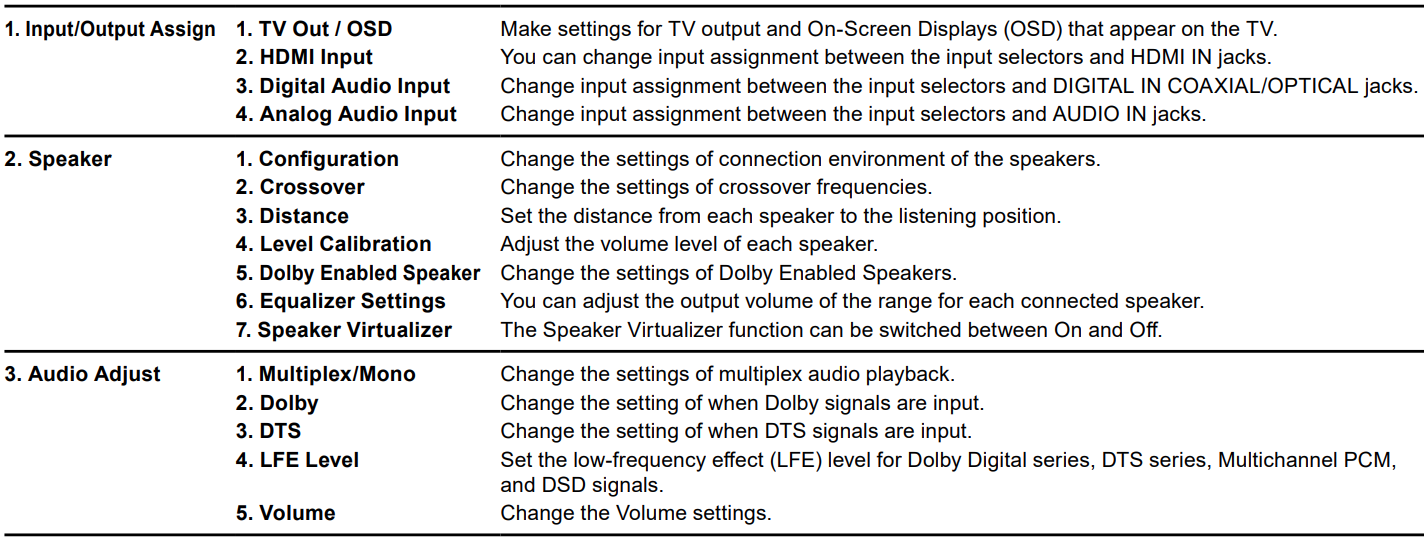
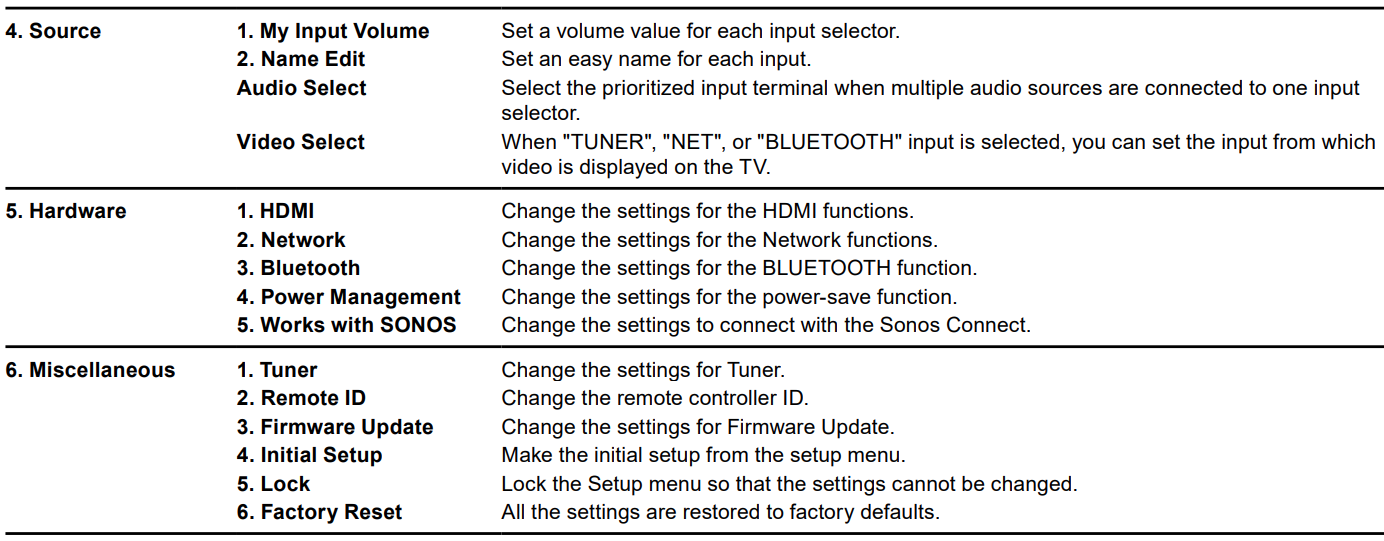
Menu List
Comments
0 comments
Please sign in to leave a comment.