A-9110-Speaker Impedance Settings
Depending on the speakers you connect, you may need to change the speaker impedance setting on this unit.
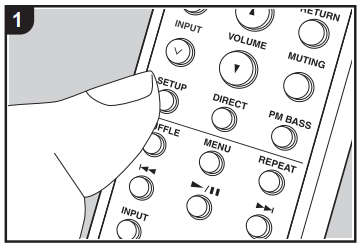
Press SETUP on the remote controller.
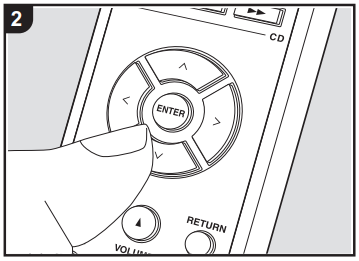
Press ^/ V on the remote controller several times so that input source indicators on the unit, such as "LINE 1" and "LINE 2", start blinking.
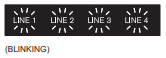
- The indicators blink and the current setting is displayed.
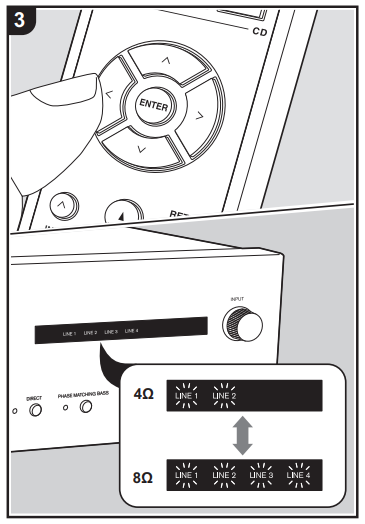
Press </> on the remote controller to change the setting.
- 4 Ohms: "LINE 1" and "LINE 2" indicators are blinking
- 8 Ohms (default value): "LINE 1", "LINE 2", "LINE 3" and "LINE 4" indicators are blinking
To exit the settings, press SETUP.
- The setting mode ends after 5 seconds elapse with no operations performed.
Comments
0 comments
Please sign in to leave a comment.