TX-NR696 - Network Connection
Please use the following instructions to setup a network connection with the TX-NR696 AV Receiver.
This unit can be connected to the network using a wired LAN or Wi-Fi (wireless LAN). You can enjoy network functions such as Internet radio by network connection.
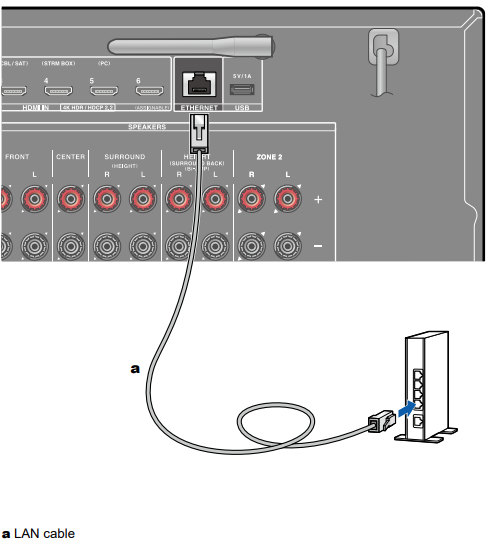
- If connection is made by the wired LAN, connect the router and the ETHERNET jack with the LAN cable as shown in the illustration.
To connect by Wi-Fi, select "Wireless" for "5. Network Connection" in Initial Setup, select your desired setting method, and then follow the on-screen instructions.
To configure the setting on the Setup menu after the completion of Initial Setup, press the [SETTING] button on the remote controller, and select "5. Hardware" - "Network" to make the setting.
- For the Wi-Fi connection, stand the wireless antenna for use.
Comments
0 comments
Please sign in to leave a comment.