TX-NR6100 - Inputting Characters
You can input characters or symbols on the keyboard displayed on the TV screen such as when inputting a password for Wi-Fi Setup or naming a preset radio station.
- Select a character or symbol with the cursors
 on the remote controller and press the ENTER button.
 - When saving characters after input, select "OK" and press the ENTER button.
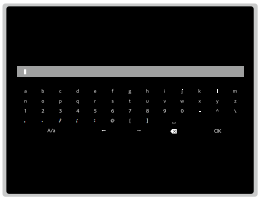
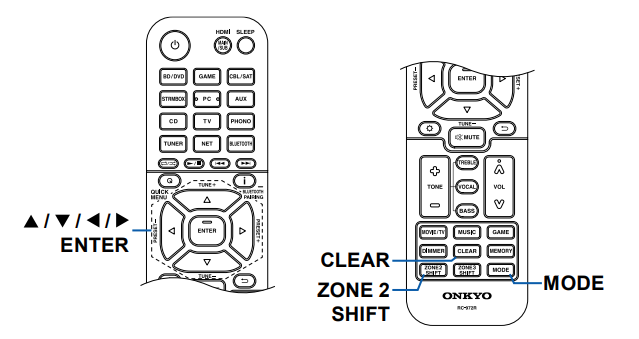
- Select "A/a" to switch between upper and lower cases. (Can also be switched with the MODE button on the remote controller.)
- To enter a space, select "
".
- To delete a character on the left of the cursor, select
- To delete all the input characters, press the CLEAR button on the remote control.
- On the ZONE 2 playback screen, operate the remote controller while pressing and holding the ZONE 2 SHIFT button. To delete all the input characters, only press the CLEAR button without pressing the ZONE 2 SHIFT button.
Comments
0 comments
Please sign in to leave a comment.