TX-RZ1100 - Connect Audio Components
Please use the following instructions to connect an audio component to the TX-RZ1100 AV Receiver.
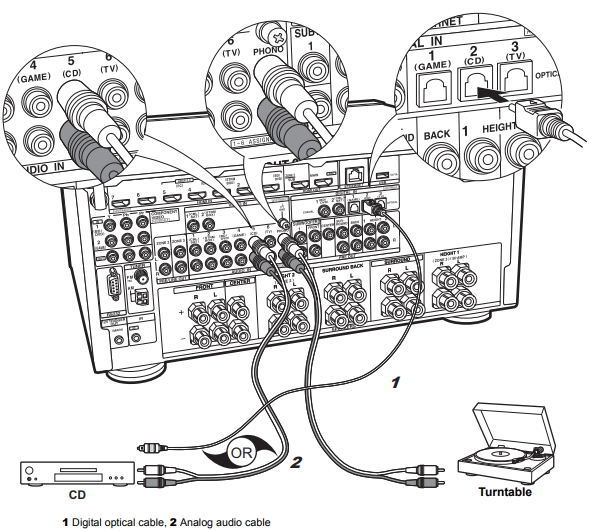
Connect a CD player using a digital optical cable or analog audio cable. You can also connect a turntable that has an MM-type cartridge to the PHONO jack.
- If the turntable has a built-in audio equalizer, connect it to an AUDIO IN jack other than the PHONO jack.
- If the turntable uses an MC type cartridge, install an audio equalizer compatible with the MC type cartridge between the unit and the turntable, then connect to any AUDIO IN jack other than the PHONO jack.
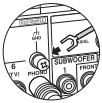
If the turntable has a ground wire, connect it to the GND terminal of this unit.
Comments
1 comment
this article has nothing to do with the DTR-7 receiver.
Please sign in to leave a comment.