TX-RZ1100 - Network, Antenna and Power Cord Connection
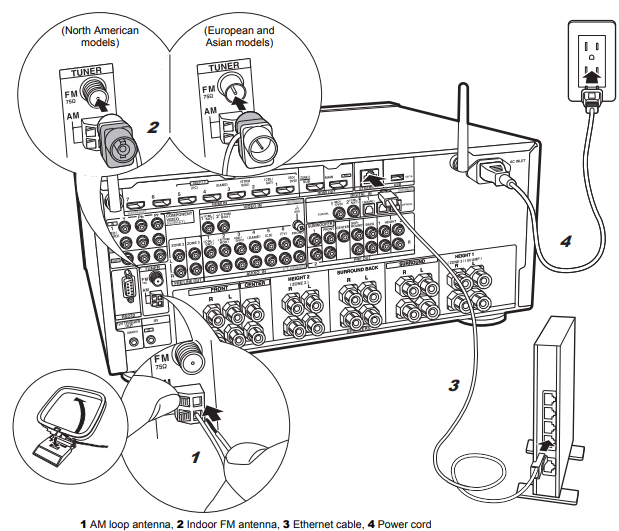
Antenna Hookup
Connect the antenna to the TX-RZ1100, and set up the antenna at the best position for listening while receiving radio signals.
- Attach the indoor FM antenna to the wall using push pins or adhesive tape.
Network Hookup
Connect this unit to the network using wired LAN or Wi-Fi (wireless LAN). You can enjoy network features such as internet radio, Music Server, and AirPlay by connecting the unit to the network.
- If you connect by wired LAN, connect with an Ethernet cable to the ETHERNET port as shown in the illustration.
- To connect by Wi-Fi, then after selecting "Wireless" in "3. Network Connection" in Initial Setup, select the desired setting method and follow the onscreen instructions to configure the connection.
Power Cord Hookup
This unit includes removable power cords.
- Connect the power cord to the power outlet after completing all other connections.
- Connect the power cord to AC INLET of the unit and then connect to the outlet.
- Always disconnect the outlet side first when disconnecting the power cord.
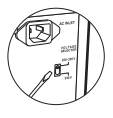
You can find the voltage selector switch on the rear panel of multi-voltage models.
Please set it to the correct voltage for your country or region.
Before changing the voltage, disconnect the power cord.
Use a medium size screwdriver to change the voltage switch.
Comments
0 comments
Please sign in to leave a comment.